
A consultation often starts before anyone presses Record. There is a referral letter to read, an intake form to bring into the conversation, or a transcript from a call that has already happened.
You can now add those documents to a Medical Scribe visit on the web. Upload a PDF or DOCX, open its extracted text, and use it as source material for your notes. Here are three ways to put that to work.
Bring the referral into today’s consultation
For a first specialist appointment, attach the referral letter and intake form before you start recording. The letter supplies the referring clinician’s context; the recording captures what you discuss today. Medical Scribe uses the attachment text and the visit’s transcripts together when generating the note.
The same approach fits a follow-up with an outside report: attach the report, then record the conversation about it. The file becomes another source for that visit, rather than something you have to read aloud into the microphone.
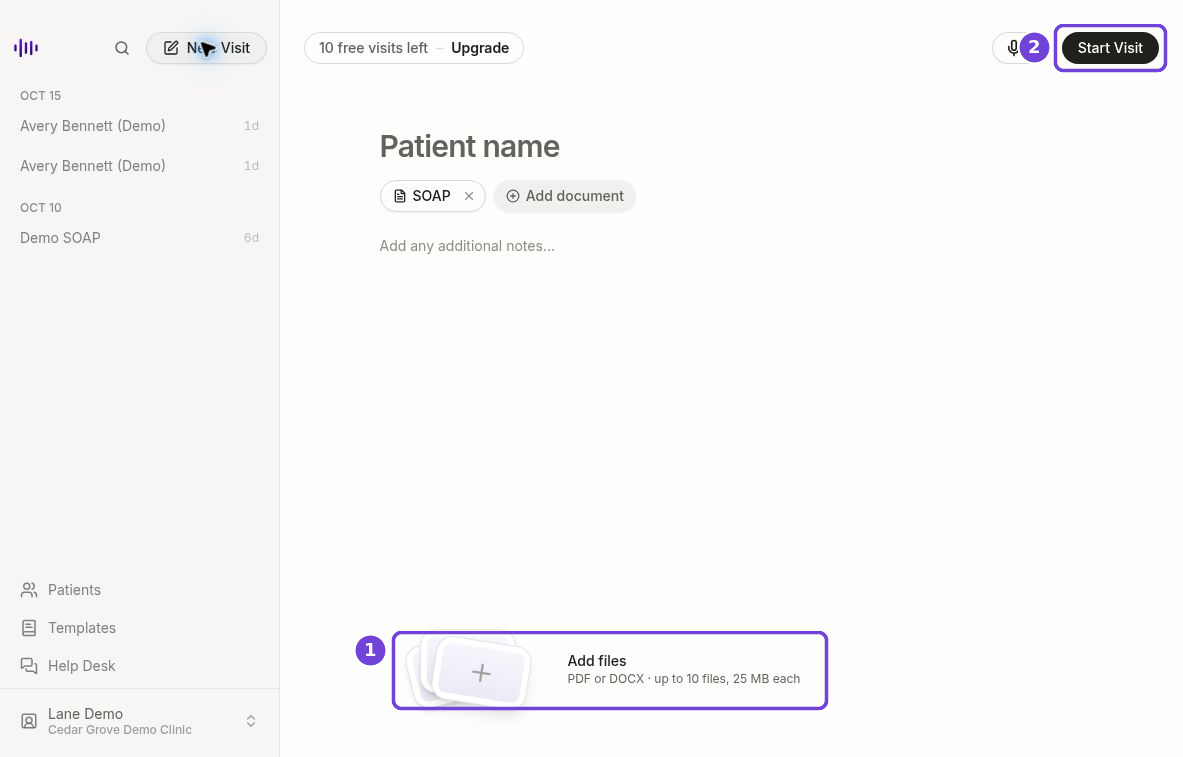
Add supporting documents before starting the recording. View full size.
Have a transcript already? Start there
If a telehealth conversation already has a transcript, save its text as a PDF or DOCX and attach it to a new visit. Choose your note template, open the arrow beside Start Visit, and select Generate notes without recording.
This gives an existing transcript a route into your note workflow without recording the conversation again. The upload is a file you provide; it does not require a connection between Medical Scribe and the service that produced the transcript.
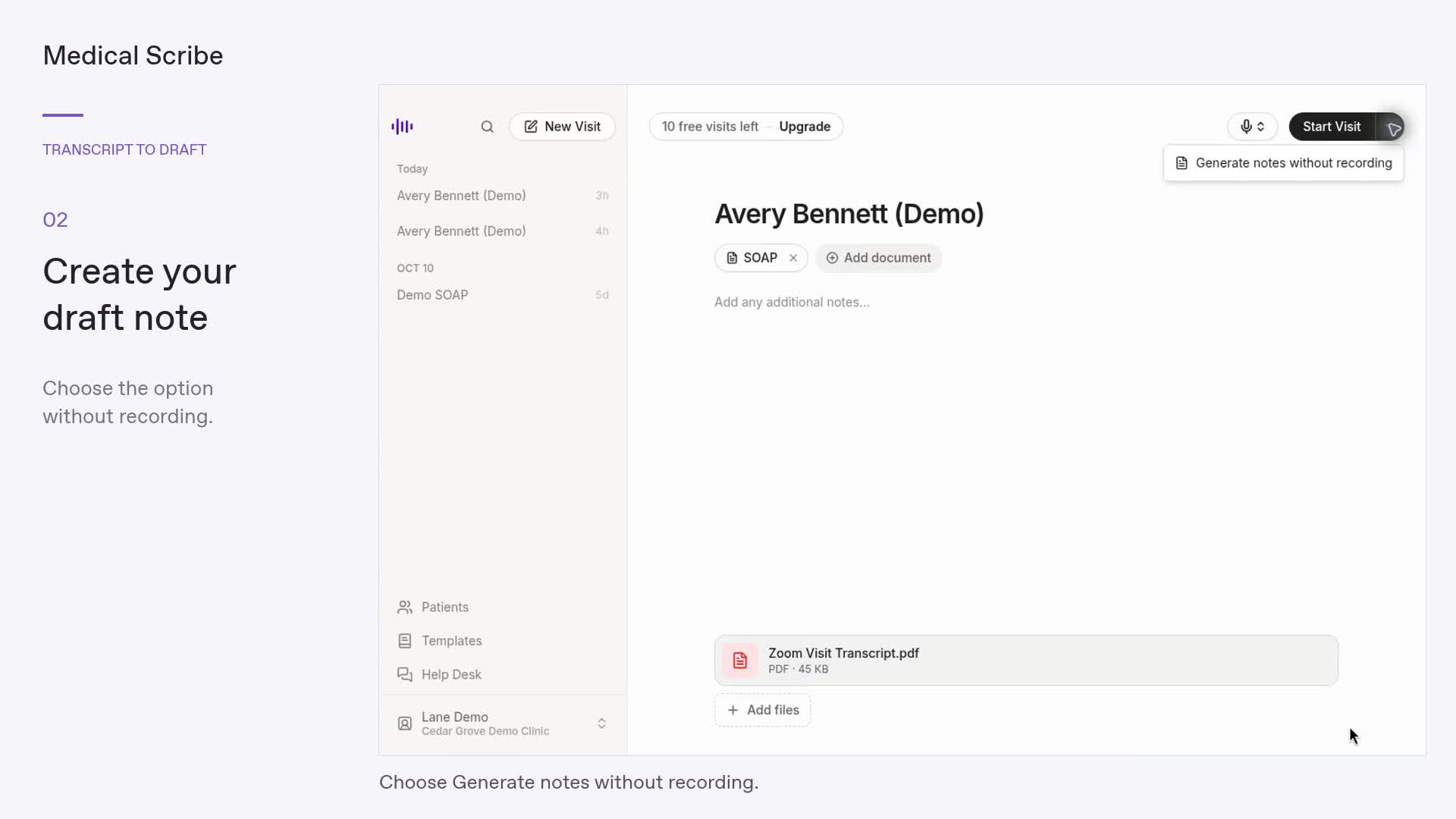
Once a file is attached, the Start Visit menu offers a document-only option. View full size.
Prepare from a packet, not just one file
A post-discharge follow-up might begin with a discharge summary, an outside consultation letter, and a separate medication-list document. Attach the relevant files to one new visit and choose the template for the document you want to prepare. You can use the document-only option to request a draft from that packet before recording any new audio.
Each file contributes its extracted text. Multiple selected templates request separate notes from the same visit sources, in the order you selected them. This is useful when the source material is the same but the documents you are preparing have different structures.
See what goes in, keep the original nearby
Open each attachment to see the text Medical Scribe extracted. The web app accepts up to 10 PDF or DOCX files per visit, 25 MB per file. Files need readable text; an empty preview needs attention before generation.
After the visit is saved, its Files tab keeps the attachments alongside the notes. You can reopen the extracted text, download the original, or remove a file. Removing a source file does not rewrite a note that has already been generated.