Record with your microphone
Capture the visit through your selected microphone, then review the generated clinical note.
Record visits on Linux. Review and edit your clinical note, then copy it into your EHR.
For Linux · x86-64 AppImage
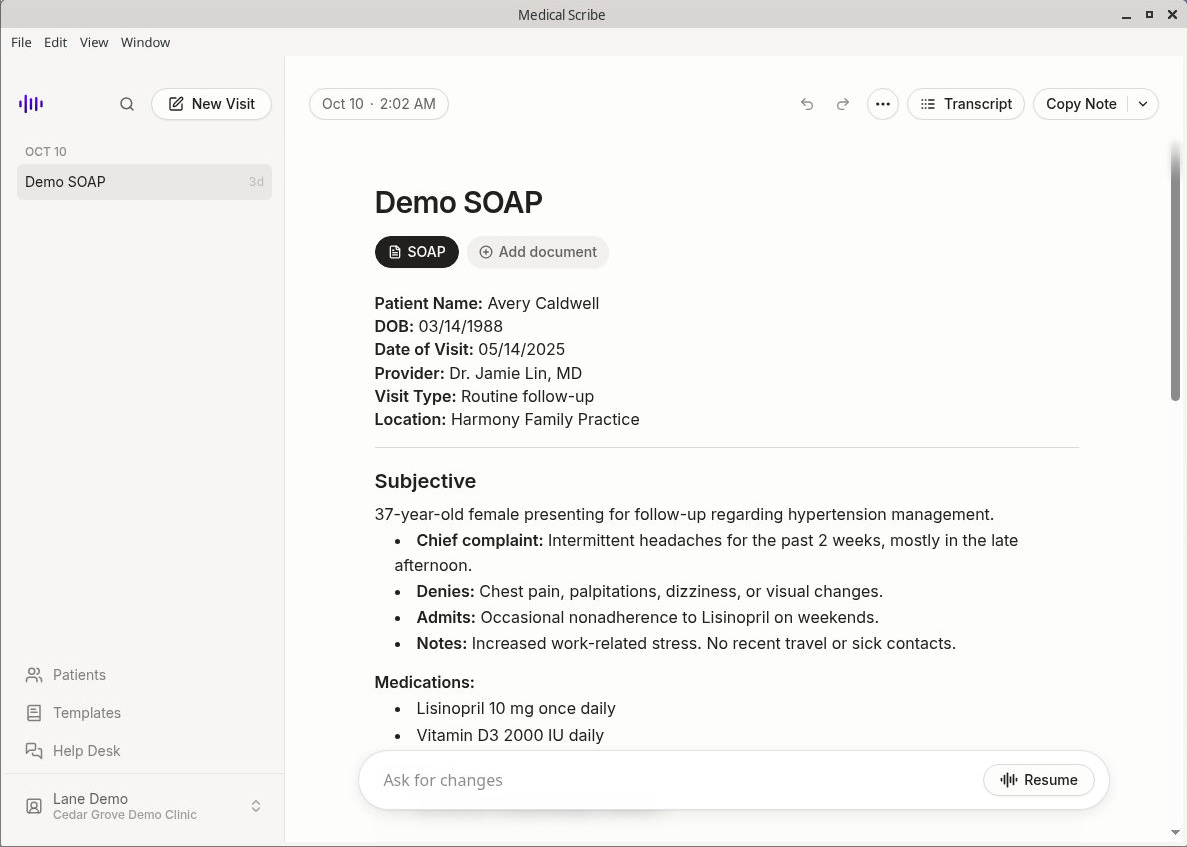
Capture the visit through your selected microphone, then review the generated clinical note.
Open the generated clinical note, check it against the visit, and edit it before adding it to the patient chart.
Copy the reviewed note into your EHR. For browser-based charting, the Chrome extension keeps Medical Scribe beside your chart.
Yes. Download the Linux AppImage for x86-64 (Intel or AMD) computers.
The Linux app records your microphone only. It does not capture system audio, so it will not directly record the other person's audio from a telehealth app.
Review and edit the generated note, then copy it into your EHR. The Linux app does not send notes directly into the chart. If you use a browser-based EHR, open the Chrome extension beside your chart to review and copy notes.
You need a Medical Scribe account and an internet connection to sign in, access visits, and generate notes.
Download the x86-64 AppImage and sign in to your Medical Scribe account.